Mistakes sometimes happen. Fortunately, you can edit or delete the messages sent in Teams.
Edit a sent message
You can edit any message that you have sent to a chat or channel. Go to the message and select More options  > Edit. Make changes to your message, then press Enter to save the update.
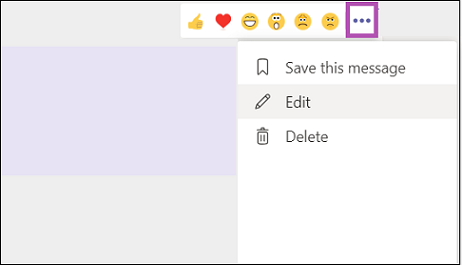
There's no limit to how many times you can make changes to a sent message.
Delete a sent message
If you need to backtrack and delete something you just sent, go to the message and select More options > Delete.
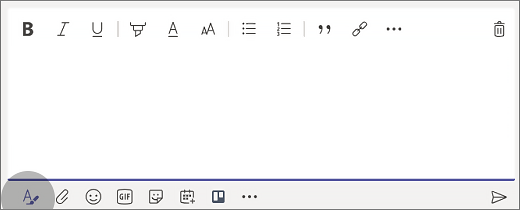
If you haven't sent the message yet, select Format  to expand the box and then select Delete
  .
.
Undo a deleted message
Go to the deleted message and select Undo.
Edit a sent message
In a chat, press and hold your message to select the edit option.
Edit your message in a channel by tapping More options  and selecting the edit option.
Delete a sent message
To delete a chat message, press and hold the message and select the delete option.
To delete a message in a channel, tap More options and select the delete option.
Edit a sent message
In a chat, press and hold your message to select the edit option.
Edit your message in a channel by tapping More options  and selecting the edit option.
Delete a sent message
To delete a chat message, press and hold the message and select the delete option.
To delete a message in a channel, tap More options and select the delete option.

No comments:
Post a Comment