On Android, you can create shortcuts to Add a new task or Search directly from the home screen. To add a shortcut, you'll first need to add To Do to your Home screen. To do this just:
-
Open All Apps
-
Touch and drag the To Do app to the desired position
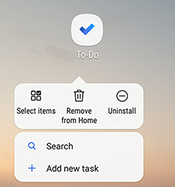
| Once it's positioned on the Home screen, just long press the To Do app icon to open the shortcut menu. | |
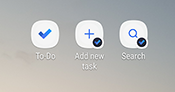
| Then you can simply touch and drag Add new task and / or Search to the Home screen. | |

No comments:
Post a Comment