Where can I find slide layouts?
Depending on what you want to do, you can find slide layouts in one of two places. See below for details:
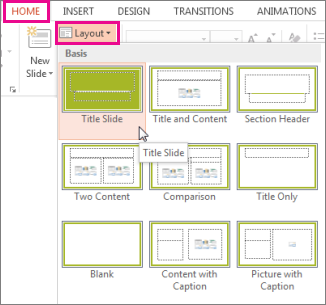
To pick a different layout for a slide:
-
In Normal view, on the Home tab, click Layout.
-
Pick a layout that best suits the content in your slide.
To customize or make changes to the placeholders and other objects that make up a :
-
On the View tab, click Slide Master.
-
The slide layouts appear as thumbnails in the left pane below the slide master, as shown below.
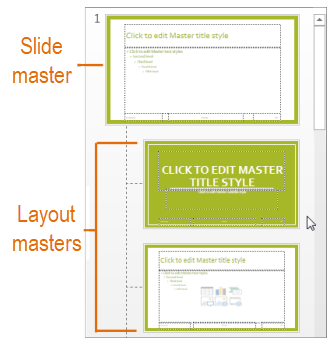
Click a layout in the thumbnail pane, and then begin customizing.

No comments:
Post a Comment