Change the temperature from Fahrenheit to Celsius
By default, Outlook displays temperatures using the Fahrenheit scale. To display temperatures using the Celsius scale, follow these steps.
-
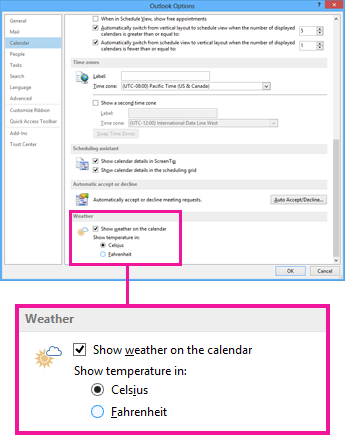
Click File > Options > Calendar.
-
Under Weather, click Celsius.
-
Click OK. Now Outlook displays temperatures in Celsius.


No comments:
Post a Comment